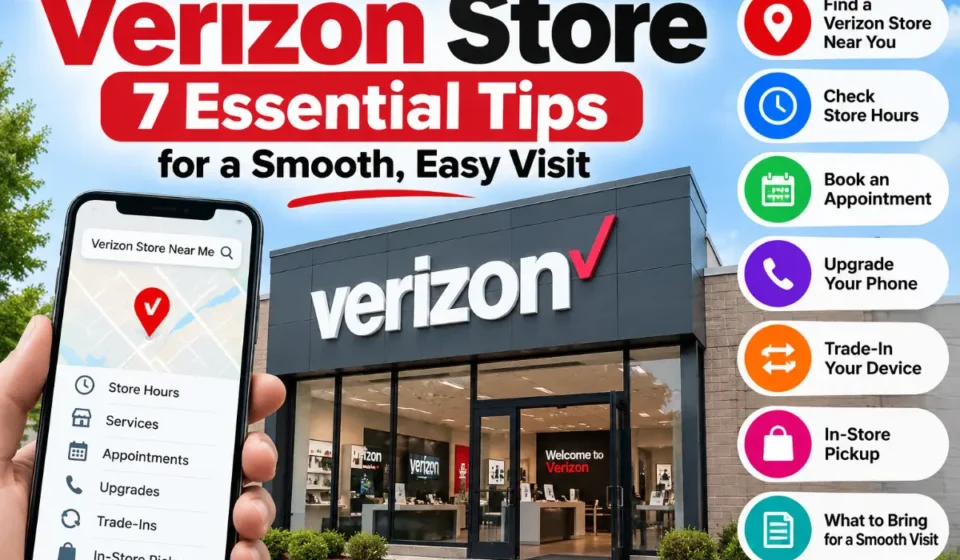

A quick search for a Verizon store may show several locations near you, but choosing between them deserves more attention than simply selecting the shortest drive.
The right location depends on what you’re trying to accomplish. Buying a case is straightforward. Trading in a device, returning a phone, switching several lines or collecting an online order involves more specific requirements.
Verizon’s retail network includes Company Stores and Authorized Retailers. Verizon also uses specific processes for trade-ins, returns and pickup orders, which means checking the details before you leave home can save time.
Use this guide as your pre-visit plan.
How to Find a Verizon Store Near You
The official locator should be your starting point because it reflects current retail locations and service information.
Search by ZIP Code, City or State
Enter your city, ZIP code or address.
Then compare results on more than distance.
Ask:
- Is this a Company Store?
- Is it an Authorized Retailer?
- Is it open when I can visit?
- Does it offer the service I need?
- Can I pick up my chosen phone there?
- Is an appointment available?
This approach matters most for tasks such as trade-ins and returns.
Use the “Near Me” or Location Option
If you allow location access, Verizon can display nearby options based on your current position.
This is useful when you’re away from home, but always read the individual location details.
Check Verizon Store Hours Before You Go
Retail hours are location-specific.
A nearby location may open later on Sunday, close earlier than another shop or follow different holiday hours.
Check the current listing immediately before leaving-particularly if you’re traveling a long distance.
Verizon Company Store vs. Authorized Retailer
This distinction should be understood before making a visit.
What Is a Verizon Company Store?
A Company Store is identified by Verizon as one of its company retail locations.
One practical difference is trade-ins: when store drop-off is available through Verizon’s trade-in process, Verizon directs customers to a Company Store.
What Is a Verizon Authorized Retailer?
An Authorized Retailer is an independent business selling Verizon products and services under authorization.
These stores can still be useful for phone purchases, service activation, line additions and many upgrade transactions.
However, an Authorized Retailer’s own sales and return procedures may apply to merchandise purchased there.
Which Verizon Store Should You Choose?
| Goal | First location to consider |
| Compare smartphones | Either |
| Purchase accessories | Either |
| Add wireless service | Either |
| Upgrade eligible device | Either |
| Verizon trade-in store drop-off | Company Store |
| Return Authorized Retailer purchase | Original retailer |
| Collect eligible online order | Designated pickup location |
| Discuss Home Internet | Store showing relevant service |
This simple comparison can prevent the most common wrong-store visit.
What Services Are Available at a Verizon Store?
A location can function as a shopping destination, activation point and source of help with certain wireless transactions.
Buy Phones, Tablets and Wearables
In-person shopping is useful when specifications don’t tell the whole story.
A 6.7-inch phone and a 6.3-inch phone may sound similar on a product page but feel noticeably different in one hand.
You can compare:
- Size
- Weight
- Display
- Physical design
- Available colors
- Cases
- Wearable sizes
Inventory varies, so check before traveling for one specific device.
Upgrade an Existing Verizon Phone
An upgrade involves more than selecting a new phone.
Review:
- Current device-payment status
- Upgrade eligibility
- Trade-in value
- Promotional conditions
- Plan requirements
- Phone inventory
If your current phone contains important photos or authentication apps, create a backup before visiting.
Add a New Line or Switch to Verizon
Stores can assist people starting new service or moving numbers from another carrier.
For a smooth carrier switch, prepare your previous carrier’s information.
A typical preparation list includes:
- Account number
- Number-transfer PIN
- Account-holder information
- Phone numbers
- Devices being moved
Do not assume every unlocked phone will necessarily work exactly as expected; compatibility should be checked.
SIM and eSIM Assistance
Activation problems often involve account verification, device configuration or SIM/eSIM setup.
Bring the device itself and make sure you have access to the appropriate account credentials.
Verizon Home Internet Services
Verizon sells home internet services in eligible areas, but availability is address-dependent.
A nearby store selling Home Internet does not automatically mean the service is available at your house.
Check your actual address.
Can You Trade In a Phone at a Verizon Store?
Yes, for eligible trade-ins when store drop-off is one of the return methods Verizon gives you.
Verizon’s current guidance says to find a Verizon Company Store for this process; Authorized Retailers do not accept those trade-ins.
Check Trade-In Eligibility and Value First
Complete the initial trade-in assessment online.
The process may consider:
- Make
- Model
- IMEI/device ID
- Condition
- Promotion requirements
- Account status
The quoted amount may be estimated. The final value comes after appraisal.
What to Do Before Trading In Your Phone
Use this pre-handoff checklist:
- Back up data.
- Confirm photos are synced.
- Transfer authenticator access.
- Record IMEI.
- Remove personal information.
- Disable Find My/activation locks as required.
- Remove SIM card.
- Remove SD card if applicable.
- Photograph front, back and sides.
- Keep transaction confirmation.
Verizon says returned trade-in devices are inspected and that discrepancies between the submitted description and actual device can affect the final value.
Store Trade-In vs. Online Trade-In
| Consideration | Store | Shipping |
| Hand device directly to location | Yes | No |
| Packaging | Not needed for eligible store handoff | Depends on option |
| Proof | Store documentation | Tracking |
| Store requirement | Company Store | Not applicable |
| Available for every trade-in | No | Depends on order options |
Verizon lets eligible customers select among the return methods available for their particular transaction.
Can You Return a Phone to a Verizon Store?
Sometimes. First determine the seller.
Returning Verizon.com or Verizon Store Purchases
Verizon’s current direct-purchase policy allows eligible wireless devices and accessories to be returned or exchanged within 30 days.
Verizon also says a $50 restocking fee applies to qualifying wireless-device returns and exchanges except in Hawaii.
A return does not automatically cancel wireless service, so customers who want to cancel service should follow the separate service-cancellation process.
Returning an Authorized Retailer Purchase
This is different.
If you bought from an Authorized Retailer, Verizon says you should review that retailer’s policy and make the return or exchange through the retailer.
Keep your receipt so you can identify the original seller.
What to Bring for a Return
Before leaving, gather:
- Device
- Receipt/order confirmation
- Original accessories/components
- Box when required
- Account details
- Identification if applicable
- Payment details if needed
Back up the device before erasing anything.
Do You Need an Appointment at a Verizon Store?
Whether an appointment is worthwhile depends on the visit.
How to Schedule a Verizon Store Appointment
Search for the specific location and use its available scheduling option.
Business users can search Verizon’s business appointment directory for sales consultations.
When an Appointment Makes Sense
Consider scheduling if you’re:
- Moving a family plan
- Switching several lines
- Replacing multiple devices
- Setting up a business account
- Completing a complicated upgrade
Walk-In vs. Appointment
| Purpose | Approach |
| Buy accessory | Walk-in |
| Browse phones | Walk-in |
| Ask simple shopping question | Walk-in |
| Upgrade several devices | Appointment helpful |
| Move multiple lines | Appointment helpful |
| Business purchase | Appointment helpful |
Avoid scheduling expectations around unofficial “average wait times.” Store traffic can change rapidly.
Read More: Verizon Store Near Me: Hours, Services, Deals & Support
What Should You Bring to a Verizon Store?
Packing the right information is as important as choosing the right store.
For a Phone Upgrade
Bring:
- Current device
- Verizon account credentials
- Security information
- ID if required
- Payment method
- Completed backup
- Apple/Google credentials when needed
For a Trade-In
Bring:
- Old device
- Submission details
- Device information
- Relevant account credentials
Make sure your device is ready to surrender permanently.
Verizon says completed trade-ins are final after the device is returned and credit accepted.
For Switching From Another Carrier
Prepare:
- Existing carrier account number
- Transfer PIN
- Mobile numbers
- Account owner information
- Phones being transferred
For a Return or Exchange
Have:
- Product
- Receipt
- Order confirmation
- Original components where required
- Account access
- Payment information
How to Check Phone Availability Before Visiting
If your visit depends on one specific model, inventory checking is essential.
Choose the Exact Model, Color and Storage
Search the configuration you actually want.
For example, do not simply search “new iPhone available.”
Check:
model + color + storage
Inventory for each combination can differ.
Look for In-Store or Express Pickup
For eligible orders, Verizon lets customers select a participating pickup store during checkout.
Your confirmation email provides the next steps.
Confirm Availability Before Driving
Wait until the order is ready.
For current In-Store Pickup orders, Verizon says uncollected orders are automatically canceled after the third day following the pickup notification.
That makes your notification email important—don’t ignore it.
Verizon Store vs. Verizon Online
The better option depends on how confident you are about the purchase.
| Feature | Retail location | Online |
| Hold phone before purchase | Yes | No |
| Face-to-face discussion | Yes | No |
| Shop without traveling | No | Yes |
| Compare many products | Good | Easy |
| Pickup | Available on eligible orders | Selected during purchase |
| Delivery | Not main benefit | Yes |
| Local inventory limits | Yes | Less restrictive |
When Visiting a Store Makes More Sense
Visit when:
- Physical size matters.
- You need to compare devices.
- Your account change is complicated.
- You’re using an eligible in-store trade-in.
- Several family members are changing phones.
When Online Shopping May Be Easier
Use online shopping when:
- You’ve already chosen the device.
- You want more time to review offer conditions.
- You prefer shipment.
- Nearby stores lack your configuration.
Unique Gaps Competitors Miss: How to Choose the Right Verizon Location
The best way to select a location is to use a five-step filter.
Step 1 – Identify Your Task
Be specific.
Instead of “I need Verizon,” determine:
“I need to return a phone I ordered online.”
That immediately narrows your options.
Step 2 – Check the Store Type
Confirm Company Store vs. Authorized Retailer.
Step 3 – Check the Individual Services
Do not assume every shop handles every process.
Step 4 – Verify Hours and Appointment Availability
Check hours on the day of the trip.
Step 5 – Prepare the Correct Documents and Devices
Complete the applicable preparation checklist.
Where should you start?
| Task | First step |
| Buy phone | Check nearby inventory |
| Upgrade | Review eligibility |
| Trade in | Start trade-in and check available return methods |
| Return | Identify original seller |
| Pickup | Follow order confirmation |
| Switch carrier | Gather transfer information |
Common Verizon Store Mistakes to Avoid
Going to the Closest Store Without Checking Its Type
The closest location may not support your exact transaction.
Assuming Every Store Has the Same Services
Store capabilities differ.
Arriving Without Account Verification Information
Make sure you can prove you’re authorized to make account changes.
Not Backing Up Your Phone Before an Upgrade
Do the backup before the visit—not while standing at the counter.
Bringing a Trade-In Without Preparing It
A trade-in should not leave your possession while personal information remains accessible.
Assuming Every Store Has Your Exact Phone in Stock
Storage and color are separate inventory variables.
Losing Trade-In or Return Documentation
Keep paperwork until all account credits, refunds and transactions are finalized.
Verizon Store Visit Checklist
Use this before leaving:
- Correct address checked
- Company/Authorized status checked
- Today’s hours checked
- Required service confirmed
- Device inventory checked
- Appointment booked if useful
- Phone backed up
- Account credentials ready
- ID ready if needed
- Payment method ready
- Trade-in/return prepared
- Receipt/order numbers saved
Frequently Asked Questions About Verizon Stores
1. How do I find a Verizon store near me?
Use Verizon’s official store locator and enter your ZIP code, city or current location.
2. What is the difference between a Verizon Company Store and an Authorized Retailer?
A Company Store is a Verizon-operated retail location. An Authorized Retailer is an independent company authorized to sell Verizon products and service.
3. Do I need an appointment to visit a Verizon store?
Not for every visit. Consider scheduling one when you’re handling several lines, devices or more complicated account changes.
4. Can I upgrade my phone at a Verizon store?
Yes, when the account is eligible and the desired device is available. Promotion and payment conditions may also apply.
5. Can I trade in my phone at a Verizon store?
If store drop-off is offered for your trade-in, Verizon says to use a Company Store, not an Authorized Retailer.
6. Can I return a phone to any Verizon store?
No. Direct Verizon purchases and Authorized Retailer purchases can follow different return paths.
7. Can I pick up an online Verizon order at a store?
Eligible orders can be assigned to a participating store during checkout. Wait for the pickup confirmation before going.
8. What should I bring when upgrading my phone?
Bring your existing phone, account information, ID if required, payment information and a current backup.
9. Are Verizon store hours the same everywhere?
No. Verify the specific location’s hours.
10. Can a Verizon store help me switch from another carrier?
Many retail locations can help establish Verizon service and transfer eligible numbers. Bring your old carrier account number, transfer PIN and relevant devices.